Google Translate vs DeepL vs ChatGPT: Which Translates Best in 2026?

TABLE OF CONTENTS
TL;DR: Google Translate covers the most languages (249) and is completely free. DeepL offers the most natural-sounding professional translations with document formatting preservation. ChatGPT brings unmatched flexibility through prompt-based control over tone, style, and context. No single tool wins in every scenario — the best choice depends on what you’re translating and why.
In 2026, three tools dominate the translation landscape: Google Translate, DeepL, and ChatGPT. Each takes a fundamentally different approach to the same problem, and each has distinct strengths and weaknesses.
This article breaks down how they compare across the dimensions that matter most: language coverage, translation quality, document handling, pricing, and real-world use cases.
Google Translate vs DeepL vs ChatGPT: Quick Comparison
| Feature | Google Translate | DeepL | ChatGPT |
|---|---|---|---|
| Languages | 249 | 33 core (with regional variants) | Most major languages |
| Translation approach | Neural machine translation | Specialized translation AI | General-purpose LLM |
| Text translation | ✅ Unlimited, free | ✅ Unlimited on web | ✅ Via conversation |
| Document upload | ✅ PDF, DOCX | ✅ PDF, DOCX, PPTX | ⚠️ Can read files, plain text output |
| Formatting preserved | ⚠️ Inconsistent | ✅ Generally good | ❌ No formatted export |
| Image translation | ✅ Camera + upload | ✅ Upload | ⚠️ Can read, limited translation |
| Tone control | ❌ | ✅ Formal/informal toggle | ✅ Full prompt control |
| Glossary | ❌ | ✅ (Pro) | ✅ Via prompt |
| Offline mode | ✅ Mobile app | ❌ | ❌ |
| API | ✅ | ✅ | ✅ |
| Price | Free | Free tier + Pro from €8.99/mo | Free (GPT-4o mini) / Plus $20/mo |
Let’s look at each tool in detail.
Google Translate: The Universal Free Option
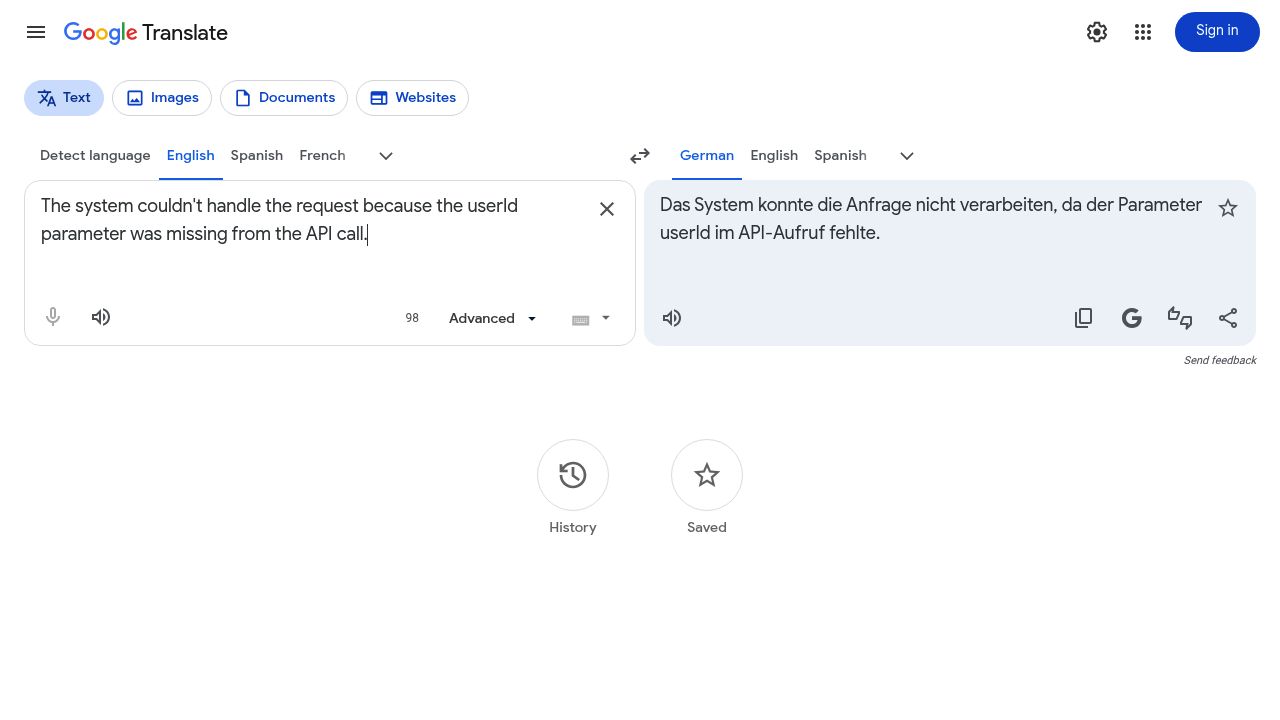
Launched in 2006, Google Translate is the most widely used translation tool in the world, serving over 500 million users. It supports 249 languages — far more than any competitor — including many low-resource and endangered languages added in recent years.
Strengths
- Unmatched language coverage. 249 languages means Google is often the only option for less common languages like Quechua, Lingala, or Dhivehi.
- Completely free. No character limits, no account required for basic text translation.
- Ecosystem integration. Built into Chrome, Android, Gmail, and Google Docs. The mobile app offers camera translation, offline mode, and real-time conversation mode.
- Website translation. Enter a URL and get an entire webpage translated — useful for quick research across languages.
- Constant improvement. Google’s neural machine translation (NMT) has improved steadily, particularly for high-traffic language pairs like English↔Spanish, English↔Chinese, and English↔French.
Weaknesses
- Quality varies widely by language pair. While major European languages produce solid results, less common pairs can still produce awkward or inaccurate translations.
- No tone or formality control. You get one output with no way to adjust for formal vs. casual register — a significant gap for business communication.
- Document formatting often breaks. PDF and DOCX uploads frequently lose table structure, header hierarchy, and image positioning in the translated output.
- No glossary or custom terminology. Businesses that need consistent translation of brand or industry terms have no way to enforce them.
- Tends toward literal translation. Idioms and culturally specific expressions are often translated word-for-word, producing output that sounds unnatural. For example, “it’s raining cats and dogs” may be translated literally rather than using an equivalent idiom in the target language.
Best For
Quick lookups, rare languages, mobile translation on the go, and situations where you need a free tool with no signup.
DeepL: The Professional Translation Specialist
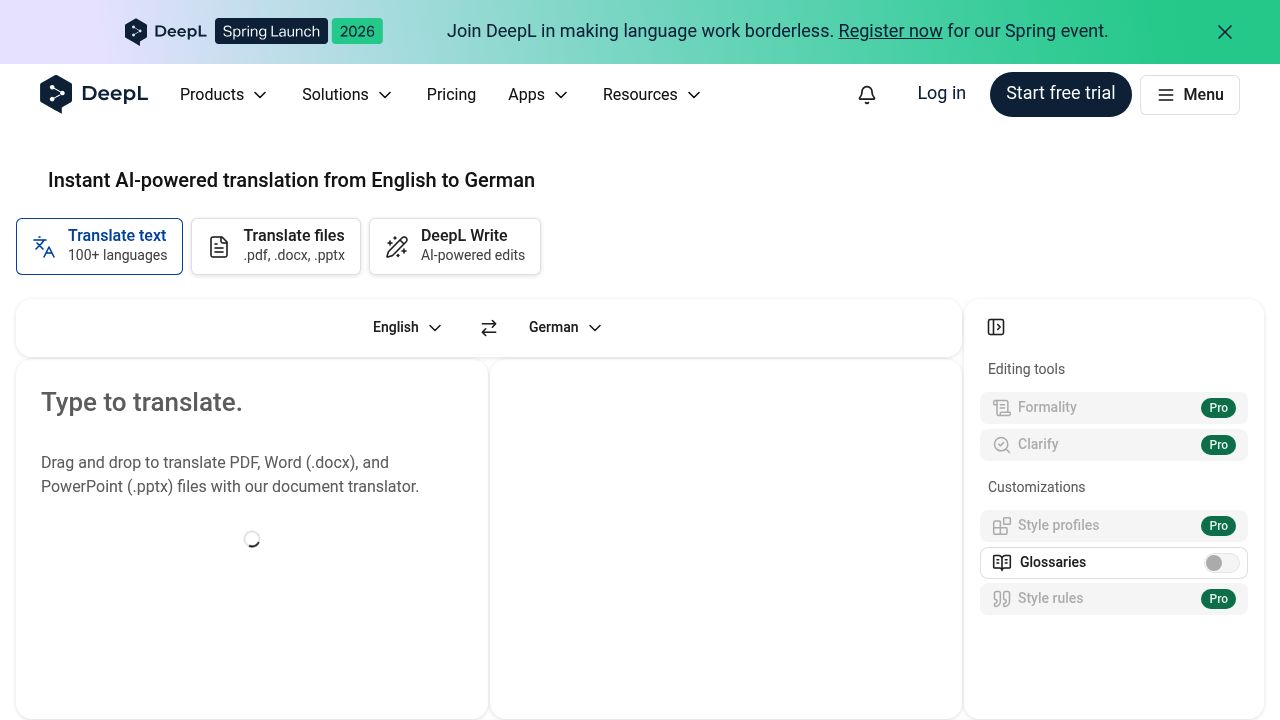
Founded in Germany in 2017, DeepL built its reputation on translation quality — particularly for European languages. It currently supports 33 core languages along with regional variants (like Brazilian vs. European Portuguese and American vs. British English), and has added features like image translation and DeepL Write for text improvement.
Strengths
- Translation quality. DeepL consistently receives praise from professional translators for producing natural-sounding output. In independent evaluations, its translations tend to read less like machine output and more like human writing, especially for European and East Asian language pairs.
- Better sentence structure. DeepL is particularly noted for handling complex grammar well — subordinate clauses in German, gendered agreements in French, and formal register in Japanese tend to come out more naturally compared to Google Translate.
- Document formatting preservation. DeepL handles DOCX, PPTX, and PDF uploads well, maintaining tables, headers, and layout structure in most cases. This is a major advantage for anyone translating business documents.
- Formality control. A simple toggle lets you choose between formal and informal register — critical for languages like Japanese, Korean, German, and French where formality significantly changes the text.
- Glossary feature (Pro). Teams can define custom term translations to ensure consistency across documents, which is particularly valuable for technical or brand content where the same terms must be translated identically every time.
- DeepL Write. Beyond translation, DeepL offers a writing assistant that improves grammar, tone, and style in the target language.
Weaknesses
- Fewer languages than Google. 33 core languages with regional variants — substantial for professional use, but a fraction of Google’s 249. If you need Yoruba, Maithili, or Tigrinya, DeepL won’t help.
- Free tier limitations. The web interface allows unlimited text translation, but document translation is capped at 3 files per month (5 MB max) on the free tier. Heavy users need Pro (starting at €8.99/month).
- No offline mode. Unlike Google Translate, DeepL requires an internet connection at all times.
- Weaker on low-resource languages. DeepL’s quality advantage is most pronounced for its core European languages. For less common pairs, the gap narrows or disappears.
Best For
Professional document translation, business communication in European and East Asian languages, teams that need consistent terminology. For a deeper look at how DeepL stacks up, see our DeepL alternatives comparison.
ChatGPT: The Flexible, Context-Aware Translator
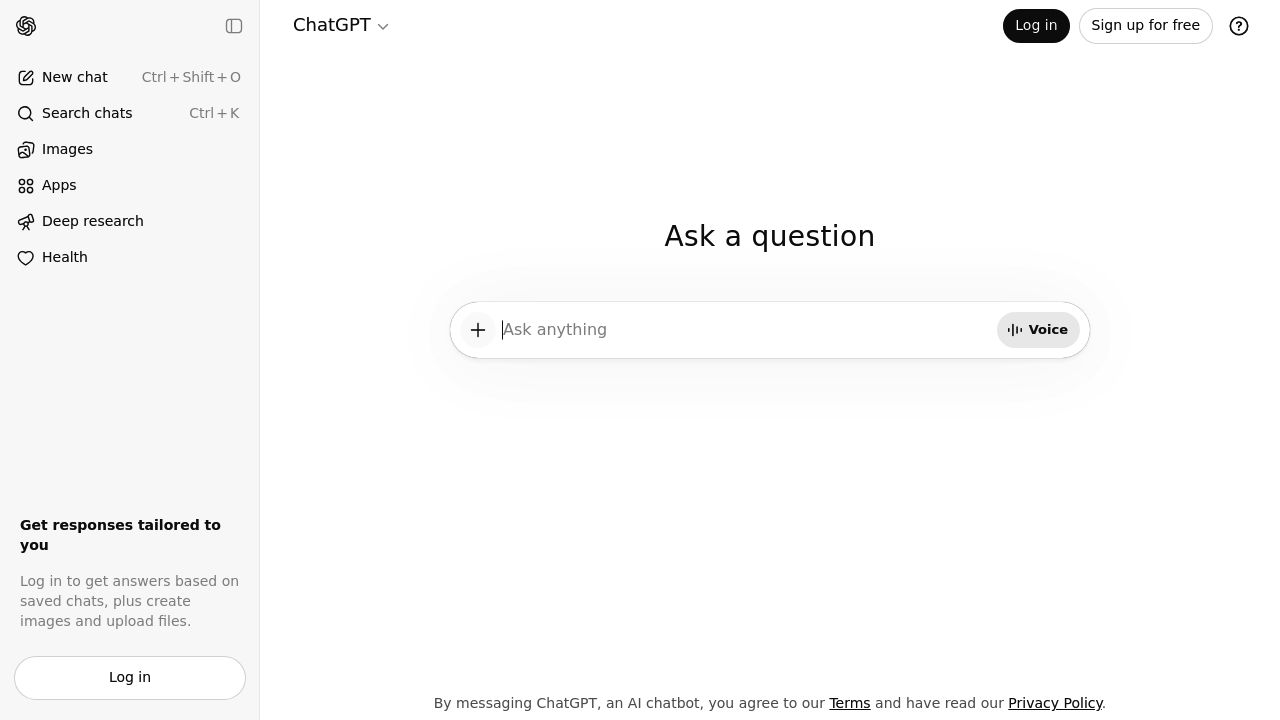
ChatGPT wasn’t built as a translation tool — it’s a general-purpose large language model. But its ability to understand context, follow instructions, and adapt output style has made it a surprisingly capable translator, especially for tasks that require more than word-for-word conversion.
Strengths
- Prompt-based control. This is ChatGPT’s killer feature for translation. You can specify tone (“translate formally using keigo”), audience (“for a 10-year-old”), purpose (“for a marketing brochure”), or style (“keep it punchy and short”). No other tool offers this level of control.
- Contextual understanding. ChatGPT grasps meaning beyond individual sentences. It can maintain consistency across paragraphs, understand idiomatic expressions, and resolve ambiguity based on context — areas where traditional MT tools often struggle.
- Transcreation ability. For marketing copy, slogans, and creative content, ChatGPT can adapt rather than literally translate, producing output that feels native in the target language. This is something Google Translate and DeepL are not designed to do.
- Multi-task capability. In one conversation, you can translate text, ask for alternative phrasings, request a formal vs. casual version, get cultural context, or have it explain why it made certain word choices.
- Handles code-mixed content. Technical documentation with code snippets, variable names, and mixed-language content is handled intelligently — ChatGPT understands not to translate function names or parameters.
Weaknesses
- No document translation. ChatGPT can read uploaded files and translate the text content, but it cannot return a formatted document. You get plain text in a chat window — no tables, no headers, no layout preservation.
- Inconsistent output. The same prompt can produce different translations on different attempts. This non-deterministic behavior is problematic for professional workflows that require reproducibility.
- No glossary enforcement. While you can include terminology instructions in your prompt, there’s no systematic way to enforce a glossary across multiple translation sessions.
- Usage limits on free tier. The free version uses GPT-4o mini with limited daily messages. GPT-4o access requires ChatGPT Plus ($20/month), which is priced higher than DeepL Pro for users who only need translation.
- Can add or omit content. As an LLM, ChatGPT may subtly embellish, paraphrase, or omit parts of the source text. Without careful review, meaning can shift — a real risk for contracts, medical records, or any content where precision matters.
Best For
Creative and marketing translation, tone-sensitive business communication, technical content with mixed languages, and situations where you need to iterate on translation quality through conversation. ChatGPT works best when used by someone who can evaluate the output quality.
What Translation Differences Actually Look Like
A comparison article wouldn’t be complete without showing how these tools differ in practice. Here’s a concrete example you can try yourself right now.
Paste this sentence into all three tools and translate it from English to German:
“The system couldn’t handle the request because the userId parameter was missing from the API call.”
What you’ll typically see:
- Google Translate tends to translate
userIdinto German (something likeBenutzer-ID), which breaks the code reference. It also often uses passive constructions that sound unnatural in German technical writing. - DeepL usually keeps
userIduntouched and uses standard German IT terminology (e.g., keeping “API” and “Parameter” as loan words). The sentence structure tends to read more naturally. - ChatGPT also preserves code terms, and often produces more idiomatic German phrasing — but since it returns plain text, you lose any formatting from the original document.
Here’s another test — this time for cultural nuance. Translate this into Japanese:
“Could you please send the report by Friday?”
- Google Translate produces grammatically correct Japanese, but often uses a level of politeness that’s too casual for business contexts (e.g., ~してくれますか instead of ~していただけますでしょうか).
- DeepL with its formality toggle set to “formal” tends to produce appropriately polite business Japanese.
- ChatGPT, when prompted with “translate into polite business Japanese,” can produce keigo (honorific language) that matches what a native speaker would write in a professional email.
These differences are consistent patterns, not one-off results. Try them yourself — pasting the same text into Google Translate, DeepL, and ChatGPT takes less than a minute.
Head-to-Head: Google Translate vs DeepL vs ChatGPT by Use Case
Which tool should you use for specific tasks? Here’s a practical breakdown:
| Use Case | Recommended | Why |
|---|---|---|
| Quick text lookup | Google Translate | Free, instant, no signup |
| Rare or low-resource languages | Google Translate | 249 languages, often the only option |
| Professional business documents | DeepL | Natural phrasing + formatting preservation |
| Business emails with correct formality | ChatGPT or DeepL | Prompt control (ChatGPT) or formality toggle (DeepL) |
| Marketing copy & slogans | ChatGPT | Only tool capable of true transcreation |
| Technical docs with code | ChatGPT or DeepL | Context awareness (ChatGPT) or glossary (DeepL) |
| Formatted PDF/DOCX translation | DeepL (Pro) | Best formatting preservation of the three |
| Mobile / offline translation | Google Translate | Only option with offline support |
| Iterative translation refinement | ChatGPT | Conversational back-and-forth |
Pro tip: Many professionals combine tools for the best results — using Google for quick lookups, running important documents through DeepL for polished output, and turning to ChatGPT when they need to fine-tune tone or adapt creative content. There’s no rule that says you have to pick just one.
Where All Three Fall Short: Multi-Format File Translation
One area where all three tools fall short is multi-format file translation with consistent formatting.
- Google Translate supports document uploads but frequently breaks table layouts, headers, and image positioning.
- DeepL handles DOCX and PPTX well on its Pro plan, but the free tier is limited, and it doesn’t cover formats like Excel spreadsheets, SRT subtitles, or images.
- ChatGPT can read and translate file contents but returns plain text only — no formatted output.
If your workflow involves regularly translating files across many formats — PDFs, Word documents, PowerPoint decks, Excel sheets, subtitles, or images — you’ll likely need a dedicated file translation tool alongside whichever text translator you prefer.
Tools like OpenL address this gap by supporting translation across 20+ file formats in over 100 languages while preserving the original layout. Rather than replacing any one translation engine, a dedicated file translator serves as a unified workspace for handling any document type in one place.
Frequently Asked Questions
Is ChatGPT better than Google Translate?
For different tasks, yes. ChatGPT produces better results when tone, context, or creative adaptation matter — like business emails, marketing copy, or culturally sensitive content. Google Translate is better for quick lookups, rare languages, offline use, and completely free unlimited translation. They complement each other more than they compete.
Is DeepL still the most accurate translator in 2026?
For European and major Asian language pairs, DeepL consistently produces the most natural-sounding professional translations. It currently supports 33 core languages with regional variants, and continues to invest heavily in translation quality. However, “most accurate” depends on the language pair and content type — ChatGPT can outperform DeepL on creative or context-heavy text, and Google covers far more languages.
Can I use ChatGPT to translate a PDF?
Partially. You can upload a PDF to ChatGPT and ask it to translate the text content. However, it returns plain text in the chat window — you won’t get a formatted document with tables, headers, and layout intact. For PDFs where formatting matters (reports, contracts, presentations), you’ll need a tool that preserves formatting, such as DeepL Pro or a dedicated PDF translation tool.
What’s the best free translation tool in 2026?
For unlimited free text translation with the widest language coverage, Google Translate remains the top choice. DeepL offers higher quality but limits document translations on its free tier. ChatGPT’s free tier (GPT-4o mini) has daily message caps. The most effective approach for many users is combining tools: Google for quick lookups, DeepL for important documents, and ChatGPT for nuanced or creative text.
Which tool is best for translating business documents?
DeepL Pro is the strongest choice for document translation among these three, combining high-quality output with formatting preservation. ChatGPT’s tone control is a valuable complement for email and client-facing communication. If you need to translate across many file formats (PDF, DOCX, PPTX, XLSX, SRT, images), a dedicated file translation tool like OpenL covers formats that these three don’t.