How to Translate a Quotation (Sales Quote)
 Add to Chrome
TABLE OF CONTENTS
A sales quotation (often called a quote or quotation) is a commercial document that proposes pricing and terms for goods or services. Translating it is deceptively risky: one mistranslated incoterm, unit, or payment term can cause disputes, delays, or costly rework.
This guide gives you a simple workflow to translate quotations accurately while keeping the numbers and commercial meaning intact.
This article is not legal or tax advice. For high-value deals or regulated industries, have a qualified professional review the translated quotation.
Quote vs pro forma invoice
Companies use these documents differently. In many workflows, a quotation comes before the buyer commits, while a pro forma invoice is used to support payment or customs processes.
If your “quotation” is being used for international trade paperwork, compare your format with the U.S. Department of Commerce guidance on pro forma invoices.
Before you translate: 5 checks
Get these answers upfront. It prevents the most common quote-translation mistakes.
- Target country and language variety (e.g., en-US vs en-GB).
- Should currency be converted or kept as-is? (Default: keep amounts unchanged.)
- What is the pricing basis? (EXW, FOB, DDP, etc.) and the exact delivery place.
- Which terms must stay exactly the same? (product names, SKUs, legal entity names)
- Who will rely on it? Customer only, or also finance, procurement, and customs.
If you’re unsure about (2), keep the original currency and add a note like: “Prices shown in USD. Currency conversion not included.”
Step 1: Lock non-translatables
Treat a quotation like structured data. Create a short “do not translate” list at the top of your working file, then translate everything else around it.
Do not translate (typical):
- Quote number, revision/version, and issue date
- Customer number, PO reference (if present)
- Product SKUs / part numbers / model names
- Quantity, unit price, discount, subtotal, tax, shipping, total
- Currency code (USD/EUR/GBP) and symbol placement rules
- Bank details (beneficiary name, IBAN, SWIFT/BIC), payment links
- Legal entity names, registration numbers, tax IDs
- Incoterms codes (EXW/FOB/CIF/DDP) and named places
For more “do not translate” categories (IDs, URLs, code-like strings), use What Not to Translate.
Step 2: Use the best source file
You will get better accuracy and less formatting cleanup if you translate the source file instead of a screenshot.
- Best: XLSX, DOCX, or the original quote from your ERP/CRM export
- Good: text-based PDF
- Last resort: scanned PDF/photo (run OCR first)
If your quotation is scanned, start with How to Translate a Scanned PDF.
Step 3: Translate text, not math
In most quotations, these are the parts that should be translated:
- Line item descriptions (but keep SKUs unchanged)
- Scope of work / deliverables
- Lead time and shipping notes
- Payment terms and acceptance terms
- Warranty/return terms (if included)
- Contact notes and instructions
If your quote is table-heavy (common in XLSX/PDF), use a format-preserving workflow like How to Translate PDF Files and Keep Formatting.
Step 4: Keep numbers clear
Misread separators cause real financial errors. Align formatting with the target market, but do not change the underlying values unless instructed.
- Decimals and thousands:
1,234.56vs1.234,56 - Dates: avoid ambiguity like
03/04/2026; write4 Mar 2026or2026-03-04when possible - Currency: prefer ISO currency codes for clarity (e.g., USD, EUR) and keep the original code consistent
For deeper localization rules (currency spacing, decimal behavior, time formats), see Why Dates and Numbers Need Localization.
Step 5: Incoterms: keep code, translate meaning
Incoterms are standardized trade terms published by the International Chamber of Commerce. In a quotation, you typically want to keep the 3-letter code unchanged, and translate the supporting explanation and the named place.
Examples:
FOB Shanghai (Incoterms® 2020)→ keepFOBand the place; translate the explanatory sentenceDDP Berlin→ keepDDP; translate duties/taxes text carefully
If you need a refresher on which terms exist and why the “named place” matters, use these references:
- ICC overview of Incoterms® 2020
- U.S. Department of Commerce overview of Incoterms
Step 6: Units and specs
Quotes often include specifications (dimensions, weight, tolerances) that must be exact.
Practical rules:
- Keep numbers unchanged; convert units only if requested.
- If you must convert, show both:
5 ft (1.52 m). - Avoid typos like
mmvscmorNmvsN·m.
For unit style conventions (especially SI), NIST’s SI writing guidance is a solid reference.
Step 7: QA like an audit
Run a quick two-pass review before sending:
Pass 1: Data integrity
- Totals, taxes, and currencies match the source
- Quote number, dates, and validity period are correct
- SKUs/part numbers unchanged
- Incoterms code + named place unchanged and consistent
- Bank details and payment links unchanged
Pass 2: Commercial clarity
- Line items are understandable without changing meaning
- Terms read naturally in the target language (no “machiney” tone)
- No missing rows or broken table alignment
Use Translation QA Checklist for a broader, reusable QA pass.
Mini template: required fields
You don’t need to copy this word-for-word, but it’s a reliable structure for cross-border quotes.
| Section | What to include | Translation note |
|---|---|---|
| Seller / Buyer | Legal entity names, addresses, tax IDs | Don’t translate legal names; translate labels |
| Quote header | Quote no., date, version, validity | Keep IDs unchanged; localize date format |
| Items | SKU, description, quantity, unit price | SKUs unchanged; translate descriptions only |
| Totals | Subtotal, discounts, tax, shipping, total | Never alter values; check separators |
| Delivery | Incoterms + named place, lead time | Keep code; translate explanation carefully |
| Payment | method, due date, bank details | Keep account data unchanged |
| Notes | warranty, exclusions, acceptance | Keep “shall/must/may” meaning stable |
OpenL workflow
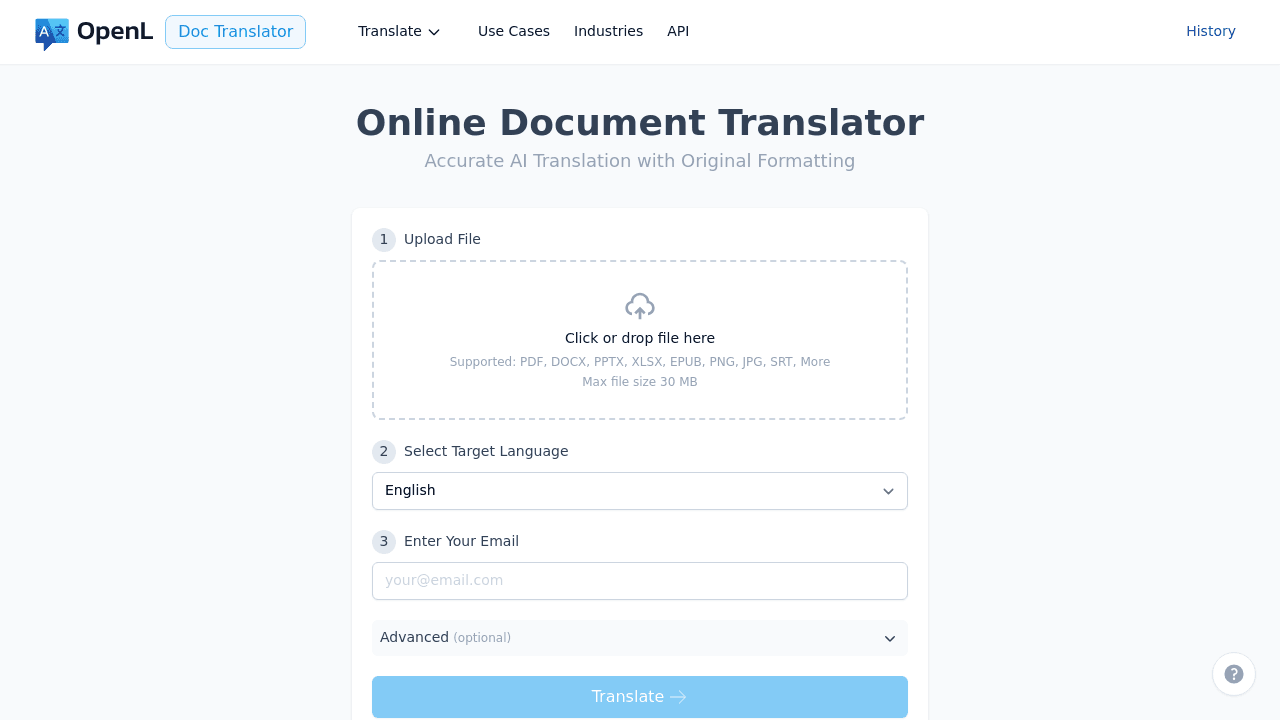
If you want a quick first draft that keeps the document readable:
- Export your quotation to XLSX/DOCX (or a text-based PDF).
- Upload it to OpenL Doc Translator.
- Translate and download the output file.
- Apply the QA checklist above, focusing on totals, Incoterms, and bank details.
If you frequently quote the same products, keep a small glossary of preferred product terms and reuse it across quotes to stay consistent.
FAQ
Should I convert currency in a quotation translation?
Only if the client explicitly requests it. Otherwise, keep the original currency and amounts, and clarify the currency code to avoid misunderstandings.
Can I translate a quotation in Excel safely?
Yes, if you separate text columns from numeric columns. For practical tips (formulas, number formats, QA), see How to Translate Excel Online.
Should I translate payment instructions word-for-word?
Translate for clarity, but do not “simplify” or change obligations. Keep payment deadlines, fees, and bank data exact. If the quote is legally binding in your context, align with How to Translate Contracts.
Quotations are sales documents, but they behave like financial and legal documents. Treat them as structured data, keep the math intact, translate the commercial meaning, and run a short QA pass every time.