Best EPUB Translator in 2026
TABLE OF CONTENTS
Translating an EPUB is not the same as translating a PDF or a DOCX. EPUB files are structured HTML packages—chapters, stylesheets, metadata, table of contents, and sometimes embedded fonts all live inside a single container. A translation workflow that ignores this structure can silently break navigation, corrupt formatting, or strip metadata that readers and ebook stores depend on.
The central question is not “which tool translates best” but “can this tool handle EPUB directly, or do I need to convert first?” That one detail determines your formatting risk, editing time, and final output quality.
This guide compares six common options, with detailed specs and honest trade-offs.
Why EPUB Translation Is Different
Before choosing a tool, understand what makes EPUB translation uniquely tricky:
EPUB is not a flat document—it’s a package format. An .epub file is actually a ZIP archive containing XHTML content files, CSS stylesheets, images, fonts, and XML metadata (content.opf, toc.ncx). Translation tools must parse and reassemble this structure correctly, or the output won’t open in readers.
Table of contents and navigation can break. EPUB 2 uses NCX navigation; EPUB 3 uses a nav document. If a translation tool doesn’t update these alongside the content, chapter links may point to wrong locations or show untranslated titles.
Text expansion affects layout. German text is typically 20–30% longer than English. French and Spanish expand by 15–20%. In reflowable EPUB this is less catastrophic than in fixed-layout formats, but it can still break CSS-dependent layouts, image captions, and table cells.
Metadata must be updated. The <dc:language> tag, book title, description, and subject tags should reflect the target language. Many translation tools ignore metadata entirely, causing problems with ebook store submissions and library software sorting.
Inline formatting is fragile. Bold, italic, ruby text (for CJK), footnotes, and hyperlinks are encoded as inline HTML. Naive translation engines may strip or reorder these tags, producing garbled output.
Right-to-left (RTL) languages need structural changes. Translating into Arabic or Hebrew requires not just text translation but page progression direction changes in the OPF file and CSS adjustments—something most general-purpose translators don’t handle.
Quick Picks
These picks are based on publicly available product documentation checked on March 2, 2026.
- Simplest native EPUB workflow: OpenL Doc Translator
- Most configurable offline workflow: Calibre + Ebook Translator plugin
- Best text quality (conversion workflow): DeepL
- Best API workflow (conversion workflow): Google Cloud Translation
- Best for localization teams: Crowdin
- Best for collaborative QA workflows: Smartcat
How Tools Were Assessed
Each tool is assessed using the following criteria, based on official product documentation and publicly available information as of March 2, 2026:
- Native EPUB support: Can the tool accept
.epubinput and produce.epuboutput without manual conversion? - Formatting preservation: Are chapter structure, TOC, CSS styling, images, and inline formatting retained?
- Translation quality: How natural and accurate is the output across common language pairs (EN→ZH, EN→DE, EN→ES, EN→JA)?
- Metadata handling: Does the tool update
<dc:language>and other OPF metadata? - Workflow effort: How many steps from upload to usable output?
- Pricing clarity: Is billing transparent and predictable?
- Language coverage: How many languages are supported?
The 6 Best EPUB Translation Tools in 2026
1. OpenL Doc Translator — Simplest Native EPUB Workflow
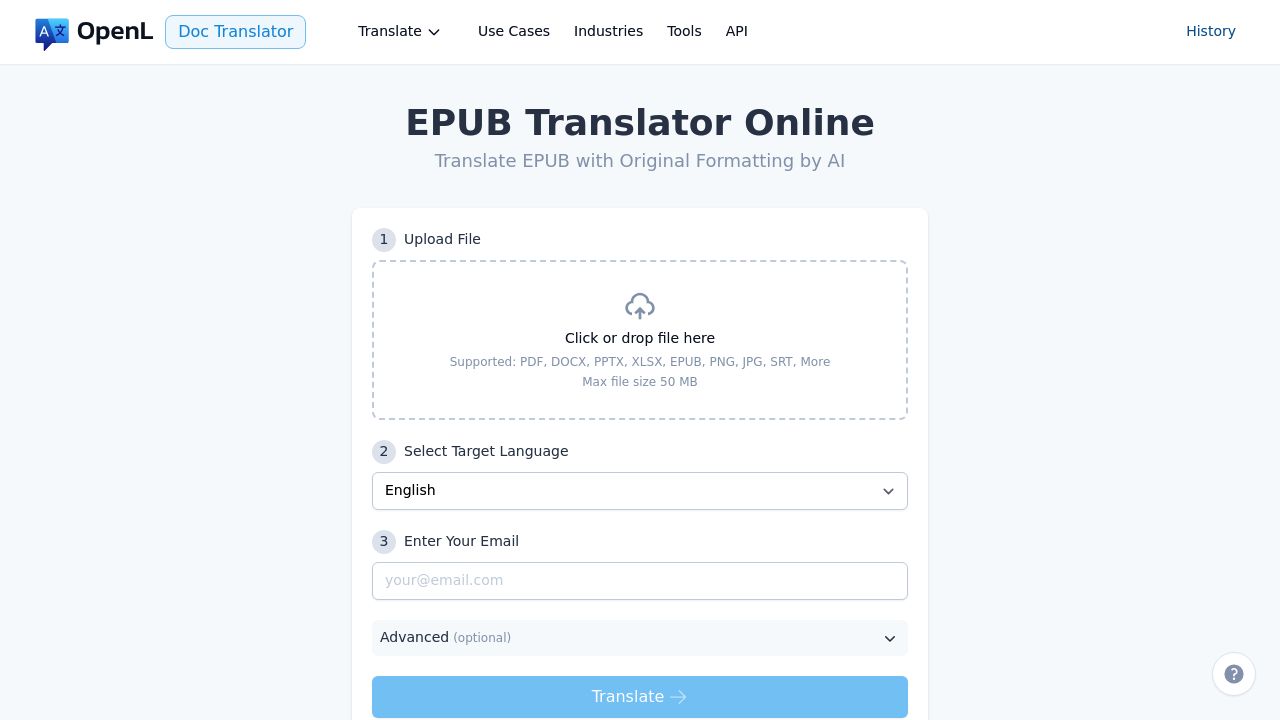
Website: doc.openl.io/translate/epub
EPUB status: ✅ Native EPUB support (officially listed in supported formats)
Note: OpenL is the author of this article. See the Disclosure at the top.
OpenL has a dedicated EPUB translation page and lists EPUB in its supported formats. For non-technical users, this is one of the most direct EPUB-in, EPUB-out workflows available. The tool parses the EPUB structure and translates content files while aiming to preserve CSS, images, and navigation.
Key Specifications:
- Languages: 100+ including RTL (Arabic, Hebrew)
- File Formats: EPUB, PDF, DOCX, PPTX, XLSX, IDML, HTML, Markdown
- Max File Size: 50 MB (100 MB on Ultimate plan)
- Pricing: Pay-per-use
Pros:
- EPUB-first workflow—no conversion steps needed
- Low setup friction: upload, choose language, download
- Supports RTL languages including Arabic and Hebrew
Cons:
- Author’s own product—we recommend testing independently before committing
- No translation memory or glossary—translating a series means starting fresh each time
- No free tier
- File size cap (50 MB standard) may be limiting for heavily illustrated EPUBs
- Output quality varies by language pair; proofreading always recommended
Best for: Non-technical users who want to upload an EPUB and get a translated EPUB back with minimal steps—personal reading, draft translations, or self-publishing first passes.
Tip: Upload a single short EPUB or extract one chapter to test formatting preservation before committing to a full book.
2. Calibre + Ebook Translator Plugin — Best Native Offline Workflow
Website: translator.bookfere.com
EPUB status: ✅ Native EPUB workflow through Calibre ecosystem
Calibre is the Swiss Army knife of ebook management, and the Ebook Translator plugin adds translation capabilities directly inside the Calibre workflow. Because Calibre natively understands EPUB structure, translation happens at the content level without format conversion.
Key Specifications:
- Languages: Depends on selected translation engine (Google, DeepL, ChatGPT, etc.)
- File Formats: EPUB, AZW3, MOBI, and all Calibre-supported formats
- Deployment: Desktop app (Windows, macOS, Linux)—fully offline capable
- Pricing: Free and open-source (Calibre + plugin); API costs depend on selected engine
Pros:
- Ebook-native tooling—Calibre understands EPUB structure deeply
- Full local/offline control over your files
- Flexible engine selection: use Google, DeepL, OpenAI, or other APIs
- Batch processing for multiple books
- Free software—you only pay for the translation API you choose
- Can also convert between ebook formats (EPUB ↔ AZW3 ↔ MOBI)
Cons:
- More technical setup than web tools (install Calibre → install plugin → configure API keys)
- Translation quality depends entirely on the engine you select
- No built-in QA or review workflow
- UI is functional but not modern
- Troubleshooting requires comfort with desktop software
Best for: Anyone who wants free, offline EPUB translation with full control over quality—technical setup takes about 30 minutes but is well-documented online.
3. DeepL — Best Text Quality (Conversion Workflow)
Website: developers.deepl.com
EPUB status: ❌ No native EPUB in official document API format list
DeepL is widely regarded for producing natural, fluent translations—especially in European language pairs. However, EPUB is not listed in its official document API supported formats. The typical EPUB workflow requires conversion: EPUB → DOCX or HTML → translate → reassemble → QA.
Key Specifications:
- Languages: 33 languages (focus on quality over quantity)
- Document Formats: DOCX, PPTX, PDF, HTML, TXT, XLIFF, SRT (no EPUB)
- File Size Limit: 5 MB (free), 30 MB (Pro)
- Pricing: Free tier available; Pro from $8.74/month; API Pro from $5.49/month + usage
Pros:
- Exceptional readability and natural phrasing, especially for European language pairs
- Tone adjustment options (formal/informal)
- Mature API with good documentation
- Glossary feature for terminology control (Pro/API)
- Strong performance: EN↔DE, EN↔FR, EN↔ES, EN↔PT
Cons:
- No native EPUB format support—conversion pipeline required
- Conversion steps (EPUB → DOCX → translate → reassemble) introduce formatting risk
- Limited Asian language support compared to some competitors
- Free tier file size limit (5 MB) may be too small for image-heavy EPUBs
- Reassembling a valid EPUB from translated DOCX/HTML requires technical skill
Best for: Users who prioritize translation quality above all else and are willing to invest time in a conversion and reassembly workflow—particularly for European languages.
4. Google Cloud Translation — Best API Workflow (Conversion Workflow)
Website: cloud.google.com/translate
EPUB status: ❌ No native EPUB in official document format list
Google Cloud Translation is a strong choice for developers and teams building automated translation pipelines. Its document translation API supports DOCX, PPTX, PDF, and XLIFF—but not EPUB directly. You need to build an EPUB extraction → translate → repackage pipeline.
Key Specifications:
- Languages: 130+ languages
- Document Formats: DOCX, PDF, PPTX, XLIFF (no EPUB)
- Pricing: $20 per million characters (first 500K characters/month free)
- Deployment: Cloud API; also available via Google Translate web (consumer, limited)
Pros:
- Widest language coverage among API-based options (130+ languages)
- Clear, well-documented API for automation
- Adaptive Translation feature allows custom model training
- Enterprise-grade reliability and SLA
- Free tier (500K characters/month) useful for testing
Cons:
- EPUB requires a custom extraction and repackaging pipeline
- More setup effort than any web-based tool—requires GCP account and API keys
- Consumer Google Translate (free web version) has no document format support
- No built-in formatting preservation for EPUB structure
- Pricing can be unpredictable for large books with many characters
Best for: Engineering teams already using GCP who want to build automated, scalable translation pipelines and are comfortable writing the EPUB handling layer themselves.
5. Crowdin — Best for Localization Teams
Website: crowdin.com
EPUB status: ⚠️ Conditional—typically requires extracting content into supported formats
Crowdin is a localization platform designed for ongoing, team-based multilingual content management. It excels at collaborative workflows with translation memory, glossaries, and reviewer roles. For EPUB, the typical approach is extracting XLIFF or HTML content from the EPUB, translating within Crowdin, and repackaging.
Key Specifications:
- Languages: 300+ languages and dialects
- Supported Formats: 60+ including XLIFF, HTML, XML, JSON, DOCX, Android/iOS strings
- Pricing: Free for open-source; Team from $40/month; Enterprise custom pricing
- Deployment: Cloud-based with API and CLI tools
Pros:
- Strong collaboration features: translator/reviewer/proofreader roles
- Translation memory and glossary for terminology consistency
- Machine translation pre-fill (Google, DeepL, Microsoft, and others)
- In-context preview for supported formats
- Excellent for ongoing, iterative localization (e.g., ebook series or updated editions)
- Active app ecosystem and integrations (GitHub, GitLab, Figma)
Cons:
- Heavy setup for one-off ebook tasks—overkill for a single book
- EPUB is not a one-click upload path; requires content extraction
- Learning curve for non-technical users
- Free plan limited to open-source projects
- Repackaging translated content back into EPUB is a manual step
Best for: Publishers and localization teams managing multilingual ebook catalogs or series with ongoing updates, where translation memory and team workflows justify the setup investment.
6. Smartcat — Best for Collaborative Translation QA
Website: smartcat.com
EPUB status: ❌ EPUB not listed on official supported formats page (checked March 2, 2026)
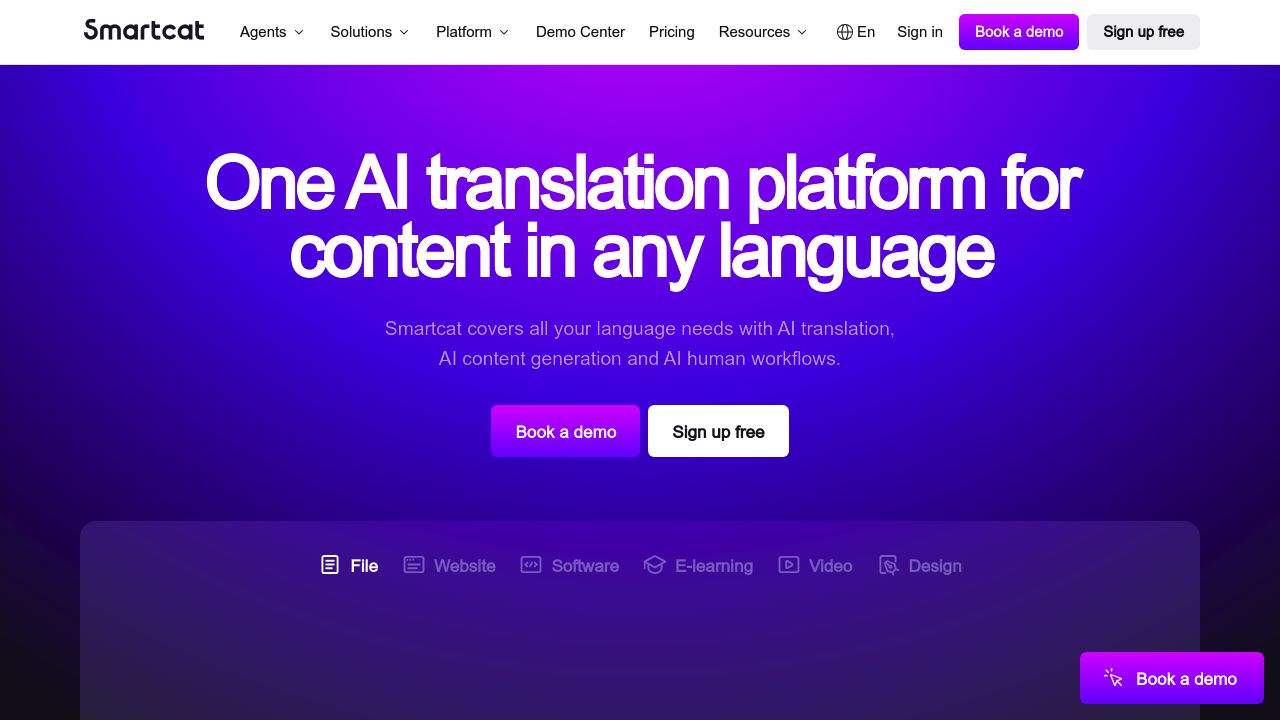
Smartcat combines CAT tool features with a marketplace of professional translators. It’s strong for collaborative QA workflows where multiple reviewers need to work on the same content. For EPUB, you’d need to convert to a supported format (XLIFF, DOCX, HTML) before importing.
Key Specifications:
- Languages: 280+ language pairs
- Supported Formats: DOCX, XLSX, PPTX, XLIFF, JSON, HTML, SRT, and others (no EPUB)
- Pricing: Free for freelancers; paid plans for teams and enterprises
- Deployment: Cloud-based with desktop editor option
Pros:
- Built-in marketplace for finding professional translators
- CAT-style translation editor with translation memory and glossary
- AI-assisted translation with human review workflow
- Good for multi-person QA pipelines with approval stages
- Pay-per-word option through marketplace translators
Cons:
- EPUB not in official supported formats—conversion workflow required
- Higher process overhead for simple one-book tasks
- Enterprise features require paid plans
- Marketplace translator quality varies—vetting is needed
- Repackaging into EPUB is a separate manual step
Best for: Teams that need structured, multi-reviewer translation QA workflows and may benefit from accessing professional translators through the built-in marketplace.
Comparison Table
| Tool | Native EPUB | Languages | Pricing | Workflow Effort | Key Limitation |
|---|---|---|---|---|---|
| OpenL Doc Translator | ✅ Yes | 100+ | Pay-per-use; Pro from $9.90/mo | Low | Author’s own product; no TM/glossary |
| Calibre + Ebook Translator | ✅ Yes (plugin) | Varies by engine | Free (+ API costs) | Medium | Requires technical setup |
| DeepL | ❌ No | 33 | Free tier; Pro from $8.74/mo | Medium-High | EPUB requires format conversion |
| Google Cloud Translation | ❌ No | 130+ | $20/M chars (free tier available) | High | Requires custom pipeline code |
| Crowdin | ⚠️ Conditional | 300+ | Free (OSS); Team from $40/mo | High | Overkill for single books |
| Smartcat | ❌ No | 280+ pairs | Free (freelancer); paid for teams | High | EPUB requires format conversion |
Decision Framework: Which Tool Should You Use?
Answer these questions to find the right fit:
1. Are you a non-technical user who just wants to upload a file and get a translation back?
Yes → OpenL Doc Translator or DeepL (DeepL requires a conversion step but is worth considering for quality) No → Continue below
2. Do you prefer local/offline control?
Yes → Calibre + Ebook Translator plugin No → Continue below
3. Is translation quality your absolute top priority (especially European languages)?
Yes → DeepL (accept the conversion workflow overhead) No → Continue below
4. Are you building an automated pipeline?
Yes → Google Cloud Translation API No → Continue below
5. Are you managing a multilingual ebook catalog with ongoing updates?
Yes → Crowdin (translation memory will pay dividends over time) No → Continue below
6. Do you need multiple reviewers and structured QA?
Yes → Smartcat No → Start with Calibre for free local control, or OpenL if you prefer a web tool
Common EPUB Translation Pitfalls (and How to Avoid Them)
Before you start translating, watch out for these common issues:
-
Broken table of contents. After translation, always open the EPUB in an ebook reader and verify that every TOC entry links to the correct chapter. Tools that don’t natively understand EPUB structure are most likely to break this.
-
Lost inline formatting. Check that bold, italic, links, and footnotes survived translation. Open a few chapters and spot-check against the original.
-
Untranslated metadata. The book title, author name display, description, and
<dc:language>tag in the OPF file should reflect the target language. Some tools leave these in the source language. -
Character encoding issues. CJK (Chinese, Japanese, Korean) and RTL (Arabic, Hebrew) translations are most prone to encoding problems. Verify that special characters render correctly on multiple readers (Kindle, Apple Books, Kobo).
-
Image alt-text left untranslated. If your EPUB includes alt-text for accessibility, check that it’s translated too. Most tools skip this.
-
CSS overflow from text expansion. German and French text is longer than English. If your EPUB uses fixed-width containers or tables, longer text may overflow or get clipped. Preview on both phone and desktop readers.
FAQ
Can AI translate EPUB without breaking formatting?
It depends on whether the tool natively supports EPUB. Tools like OpenL and Calibre + plugin parse EPUB structure directly, which significantly reduces formatting breakage. Conversion-based workflows (EPUB → DOCX → translate → reassemble) introduce more risk—especially for TOC navigation, inline HTML formatting, and CSS layout. Regardless of the tool, always do a final check: open the translated EPUB in at least two different readers (e.g., Apple Books and Calibre viewer) and verify chapter links, formatting, and images.
Is a free EPUB translation workflow enough for publication?
For personal reading or internal reference, free workflows (Calibre + free API tier, or Google Translate) are often adequate. For publication—whether self-publishing on Amazon KDP, Kobo, or distributing through libraries—you’ll need:
- Professional proofreading by a native speaker
- Metadata updates (language tag, translated title/description)
- EPUB validation (use EPUBCheck)
- Reader testing on at least 2–3 devices/apps
Do I still need human proofreading after AI translation?
Yes, always. AI translation has improved dramatically, but it still struggles with:
- Literary style, tone, and voice consistency across chapters
- Cultural references and idioms
- Context-dependent ambiguity (especially in fiction)
- Technical terms specific to niche subjects
- Consistent character name transliterations (for fiction)
Budget for at least one native-speaker review pass before distribution.
Why not just use any general document translator?
Because most document translators (including strong ones like DeepL and Google) don’t support EPUB as a format. If you convert EPUB to DOCX or HTML for translation, you lose:
- Chapter structure and TOC navigation
- EPUB-specific metadata (
<dc:language>,<dc:title>) - CSS styling tied to EPUB’s XHTML content files
- Embedded fonts and their CSS declarations
Reassembling a valid, well-structured EPUB from translated fragments requires technical skill with tools like Sigil or manual OPF editing.
How do I validate a translated EPUB file?
Use EPUBCheck, the official EPUB validation tool maintained by the W3C. It checks for:
- Valid EPUB structure and packaging
- Well-formed XHTML content
- Correct metadata declarations
- Missing or broken internal references
You can run it locally (Java required) or use the online version at pagina EPUB-Checker. Always validate before submitting to ebook stores—most platforms (Amazon, Kobo, Apple Books) will reject invalid EPUBs.
What about fixed-layout EPUB translation?
Fixed-layout EPUBs (common for children’s books, comics, cookbooks, and textbooks) are significantly harder to translate than reflowable EPUBs. Text is positioned absolutely on the page, so any length change from translation can cause overflow or overlap. For fixed-layout EPUBs:
- Expect manual layout adjustments after translation
- Consider shortening translations to fit existing text boxes
- Test on the exact target device/screen size
- Budget 2–3× more QA time compared to reflowable EPUBs
Final Recommendations
For individuals and small teams wanting the simplest path: OpenL Doc Translator offers a direct EPUB-in, EPUB-out workflow. Note that OpenL is the author of this article—test it yourself and compare before committing.
For power users who prefer local control: Use Calibre + Ebook Translator plugin with your preferred translation API. You get maximum flexibility, zero cloud dependency, and no per-use costs beyond the API itself.
For quality-first workflows (European languages): Use DeepL for the best natural-language output, but plan for the conversion overhead and reassembly work.
For automated, scalable pipelines: Build on Google Cloud Translation API if you’re already in the GCP ecosystem and comfortable with custom EPUB handling code.
For ongoing multilingual ebook catalogs: Invest in Crowdin for translation memory and team workflows that pay off across multiple books and editions.
Remember: no AI translation tool produces publish-ready ebooks without human review. The best workflow combines automation for speed with human judgment for quality—especially for literary content, cultural adaptation, and reader experience.
Related guides:
- How to Translate an Ebook
- Best PDF Translators in 2025
- How to Translate Markdown
- Best User Manual Translator in 2026
References
Core Evidence
- OpenL EPUB translator page: https://doc.openl.io/translate/epub
- OpenL supported formats: https://doc.openl.io/formats
- OpenL privacy: https://openl.ai/privacy-policy
- DeepL document API formats: https://developers.deepl.com/api-reference/document
- DeepL file formats help: https://support.deepl.com/hc/en-us/articles/360020582359-File-formats
- DeepL API plans: https://support.deepl.com/hc/en-us/articles/360021200939-DeepL-API-Free
- Google Cloud Translation supported formats: https://cloud.google.com/translate/docs/supported-formats
- Google Cloud document translation: https://cloud.google.com/translate/docs/advanced/translate-documents
- Google Cloud pricing: https://cloud.google.com/translate/pricing
- Smartcat supported formats: https://help.smartcat.com/1539645-file-formats-supported-in-smartcat/
- Smartcat pricing: https://www.smartcat.com/pricing/
- Crowdin pricing: https://crowdin.com/pricing
- Crowdin security: https://crowdin.com/security
- Calibre FAQ: https://manual.calibre-ebook.com/faq.html
- Ebook Translator plugin: https://translator.bookfere.com/
Tools & Validation
- EPUBCheck (W3C): https://www.w3.org/publishing/epubcheck/
- Sigil EPUB editor: https://sigil-ebook.com/
- Pagina EPUB-Checker (online): https://www.pagina.gmbh/produkte/epub-checker/
Additional Reading
- Crowdin platform overview: https://crowdin.com/
- Crowdin app ecosystem context: https://crowdin.com/blog/5-crowdin-apps
- EPUB 3 specification (W3C): https://www.w3.org/TR/epub-33/